
Print WooCommerce orders automatically
OrderPrint watches the inbox your WooCommerce order emails arrive in and prints every new order to a thermal receipt printer — on any Android phone. No plugin on your site, no computer, no cloud printing service. Free for your first 100 orders a month.

Watch the full setup, start to finish
Install, add the mailbox, connect the printer, place a WooCommerce order and watch it print. Under three minutes.
Your shop emails you. Your kitchen can't read email.
WooCommerce sends a New order email the moment someone checks out. That email is the only thing standing between the order and the person who has to make it.
So somebody has to notice it, open it, read it off a screen and remember it — in the middle of service, with their hands full. The usual fixes cost more than they solve: a cloud receipt printer costs more than the till it sits beside, and a PC left running in the corner is one Windows update away from a silent morning. We compare all four ways to print orders, including where each of those beats us.
OrderPrint does one thing instead. It watches that inbox and puts the order on paper.
Every field that matters, laid out as a kitchen ticket
OrderPrint doesn't forward your email to a printer. It reads it, field by field, and lays it out the way a kitchen needs it — the things that change what somebody does printed before the things that don't.
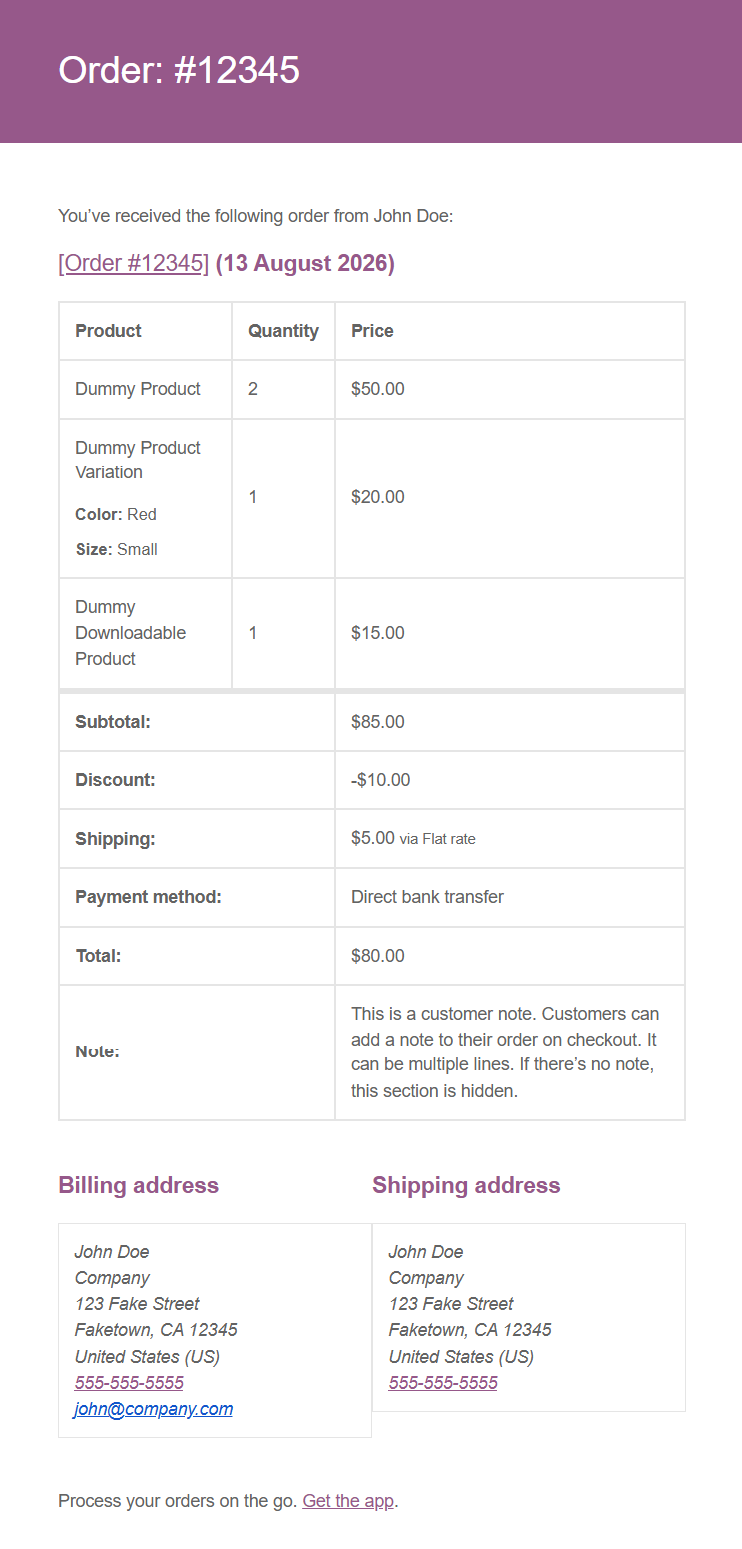
Below is WooCommerce's own sample order, and the ticket OrderPrint actually produces from it.
The email WooCommerce sends
The ticket OrderPrint prints
ORDER #12345

2x Dummy Product           $50.00
1x Dummy Product Variation $20.00
  Color: Red
  Size: Small
1x Dummy Downloadable      $15.00
--------------------------------
Subtotal                   $85.00
Discount                  -$10.00
Shipping      $5.00 via Flat rate
Total                      $80.00
Direct bank transfer
--------------------------------
DELIVERY
John Doe
555-555-5555
Company
123 Fake Street
Faketown, CA 12345
United States (US)
--------------------------------
CUSTOMER NOTE
This is a customer note.
Customers can add a note to
their order on checkout. It can
be multiple lines.
Produced by OrderPrint's own renderer from that exact email — not a mock-up. Shown at 58mm width.
Read it closely and you can see the decisions
- “DELIVERY” appears by itself. Nothing in that email says the word — OrderPrint prints it because a shipping address is present. An order with no shipping address is a collection, and says so.
- The variation's options are indented under their item, so nobody makes a Red Small when the line above said something else.
- The payment method prints in bold, under the totals. “Direct bank transfer” versus already-paid decides whether somebody collects money at the door.
- The customer note gets its own block, in bold. It is the highest-consequence line on any ticket — this is where “no peanuts, severe allergy” arrives.
- Totals keep their currency symbol.
Why the currency symbol survives
WooCommerce sends the same order twice in one email: once as HTML, once as plain text. The plain-text copy drops the currency symbol. OrderPrint reads the HTML copy, which is why your totals print as $, R, £ or € and not as a bare number.
WooCommerce does not send a payment status in its order email, so the ticket shows the payment method rather than inventing a “Paid” it cannot know.
If you run WooCommerce Food
WooCommerce Food adds restaurant fields to the order email. OrderPrint reads those too.
| WooCommerce Food field | On the ticket |
|---|---|
| Order method — Delivery, Pickup, Dine-in | Printed verbatim, in your own words, not remapped to ours |
| Requested date and time | Above the food. An order for 8pm tomorrow that a kitchen starts cooking now is worse than one that never printed |
| Table number | For a dine-in order — useless to a runner without it |
| Add-ons and extras, with their prices | Listed under the item they belong to |
| Location | Which branch the order is for, if you run more than one |
Three things, once
1. Point the email at a mailbox
In WordPress, go to WooCommerce → Settings → Emails → New order and put that address in Recipient(s). It can be a mailbox you create just for this. Nothing else in your shop changes.
2. Sign OrderPrint in
Your email address and an app password — a password that works only for this one app and can be revoked whenever you like. Nothing is installed on your website.
3. Choose your printer
Bluetooth or network, 58mm or 80mm. A test print tells you it works before service does.
That is the whole setup. No plugin, no theme change, no code on your site — so there is nothing extra to break the next time WooCommerce updates.
What else it does
- Watches any mailbox — Gmail, Outlook, Yahoo, your own domain
- Prints to several printers at once — kitchen and counter — on any paid plan
- Reprint any recent order with one tap
- Tells you when a ticket did not come out, so a missed order cannot go quiet
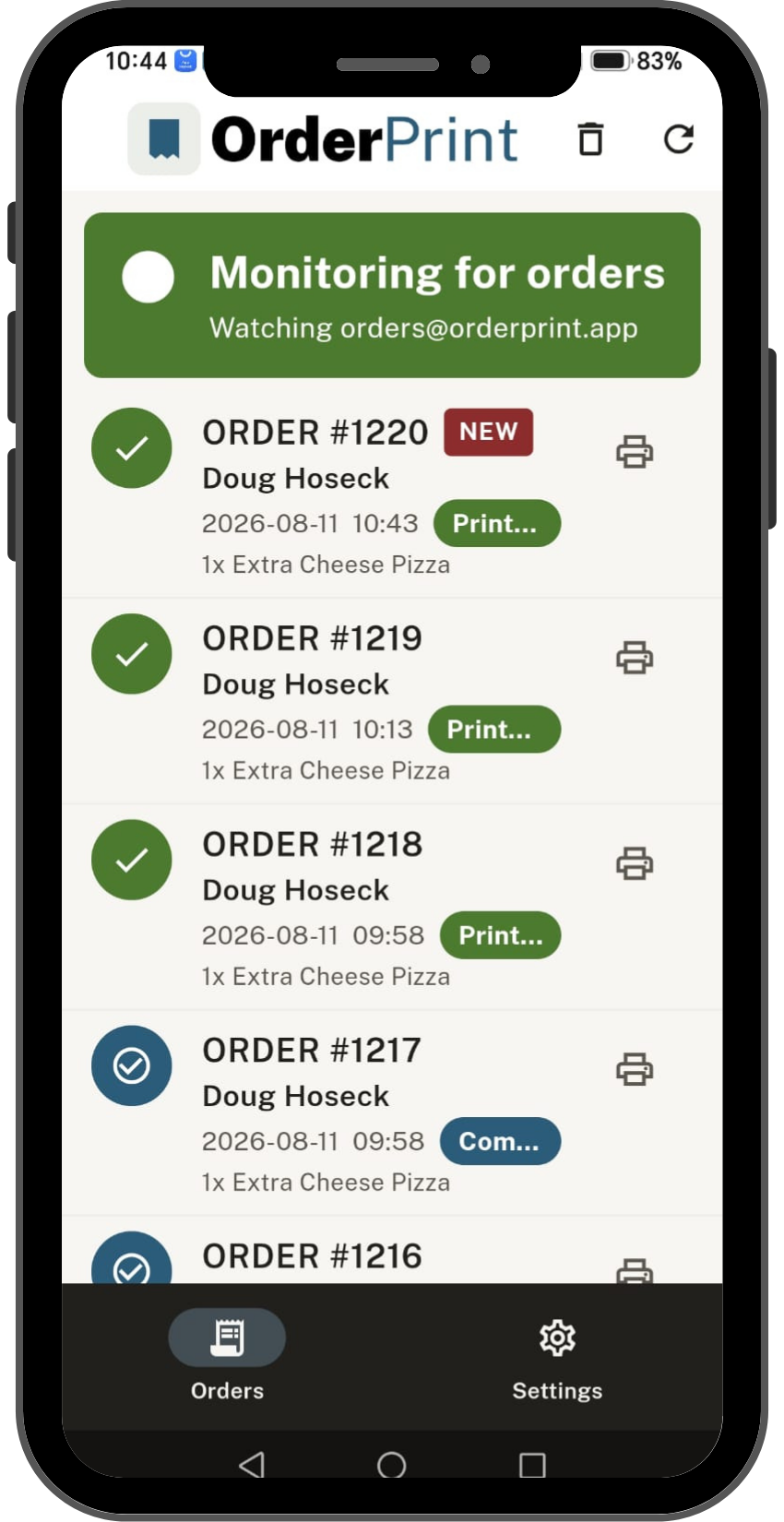
- A status card that is never green unless orders are actually printing
What you need
- An Android phone — an old one is fine. It sits by the till, plugged in
- A thermal receipt printer — Bluetooth or network, 58mm or 80mm
- The email address your WooCommerce orders arrive at
Free to start. Paid when it's earning its keep.
Free
- 100 orders a month
- One printer
- A small OrderPrint line at the bottom of each receipt
Paid — from $7 a month
- More orders a month
- No OrderPrint line on your receipts
- As many printers as you like
Prices are set by Google Play for your country and shown in the app. Subscriptions are billed by Google Play and you can cancel any time from there.
Questions
Do I need a plugin on my WooCommerce site?
No. Nothing is installed on your website and nothing changes in your shop. OrderPrint reads the order emails WooCommerce already sends you, so there is no plugin to maintain, nothing to break on a WooCommerce update, and nothing that can slow your site down.
Does it work with WooCommerce Food?
Yes. WooCommerce Food adds menus, add-ons, order methods and requested delivery times to the order email, and OrderPrint reads all of them. Delivery, pickup and dine-in orders each print with the fields that matter to them — including the table number for dine-in.
I've customised my order email template. Will it still read?
It reads the standard WooCommerce order email structure, so ordinary changes — your logo, your colours, your footer text — make no difference. A heavily rebuilt template might not parse, and the free plan tells you within a day rather than after you have paid.
My orders go to more than one email address.
That is fine. OrderPrint signs into one mailbox and prints what arrives there. Point it at whichever address you like; the others carry on as they are.
What if my shop sends plain-text order emails?
Those are read too. You lose the currency symbol, because WooCommerce leaves it out of the plain-text copy — everything else prints as normal.
Do I need to leave a computer running?
No. The phone does everything. It needs internet — the same Wi-Fi your printer is on is fine.
Can I run more than one branch?
Yes — one mailbox and one phone per branch. OrderPrint signs into one mailbox, so each branch needs its own.
WooCommerce Food has this built in. Locations are a taxonomy and each one can carry its own order email address, so a branch’s orders arrive in a mailbox of their own. Point that branch’s phone at it and each phone only ever sees its own orders — nothing to configure in the app beyond the mailbox.
On a plain WooCommerce shop without Food, the new-order email goes to a single admin address, so splitting it per branch takes a plugin that routes the order email by location or category.
If you would rather not split them at all, the Location line still prints on every ticket, so one shared mailbox stays readable.
Do I need a subscription for each phone?
Yes — a plan covers one phone. A second till, or a phone at another branch, needs its own subscription. The free allowance of 100 orders a month is counted per phone in the same way.
Put the phone by the till and stop watching your inbox
Free for your first 100 orders a month. No account, no card, no computer.
Not on WooCommerce? Shopify order printing · Wix order printing
Not sure your printer will work? Check before you buy.
OrderPrint is an independent app and is not affiliated with, endorsed by, or connected to Google, WooCommerce, Shopify, Wix or WooCommerce Food.
Google Play and the Google Play logo are trademarks of Google LLC.