
Print Wix orders automatically
OrderPrint watches the inbox your Wix order emails arrive in and prints every new order to a thermal receipt printer — on any Android phone. No app to install in your site, no computer, no cloud printing service. Free for your first 100 orders a month.

Wix emails you. Your counter can't read email.
When someone orders, Wix sends a “you just got a new order” email to the address on your account. That email is the only thing standing between the order and the person who has to fulfil it.
So somebody has to notice it, open it, read it off a screen and remember it — while serving. The usual fixes cost more than they solve: a cloud receipt printer costs more than the till it sits beside, and a PC left running in the corner is one Windows update away from a silent morning. We compare all four ways to print orders, including where each of those beats us.
OrderPrint does one thing instead. It watches that inbox and puts the order on paper.
Every field that matters, laid out as a ticket
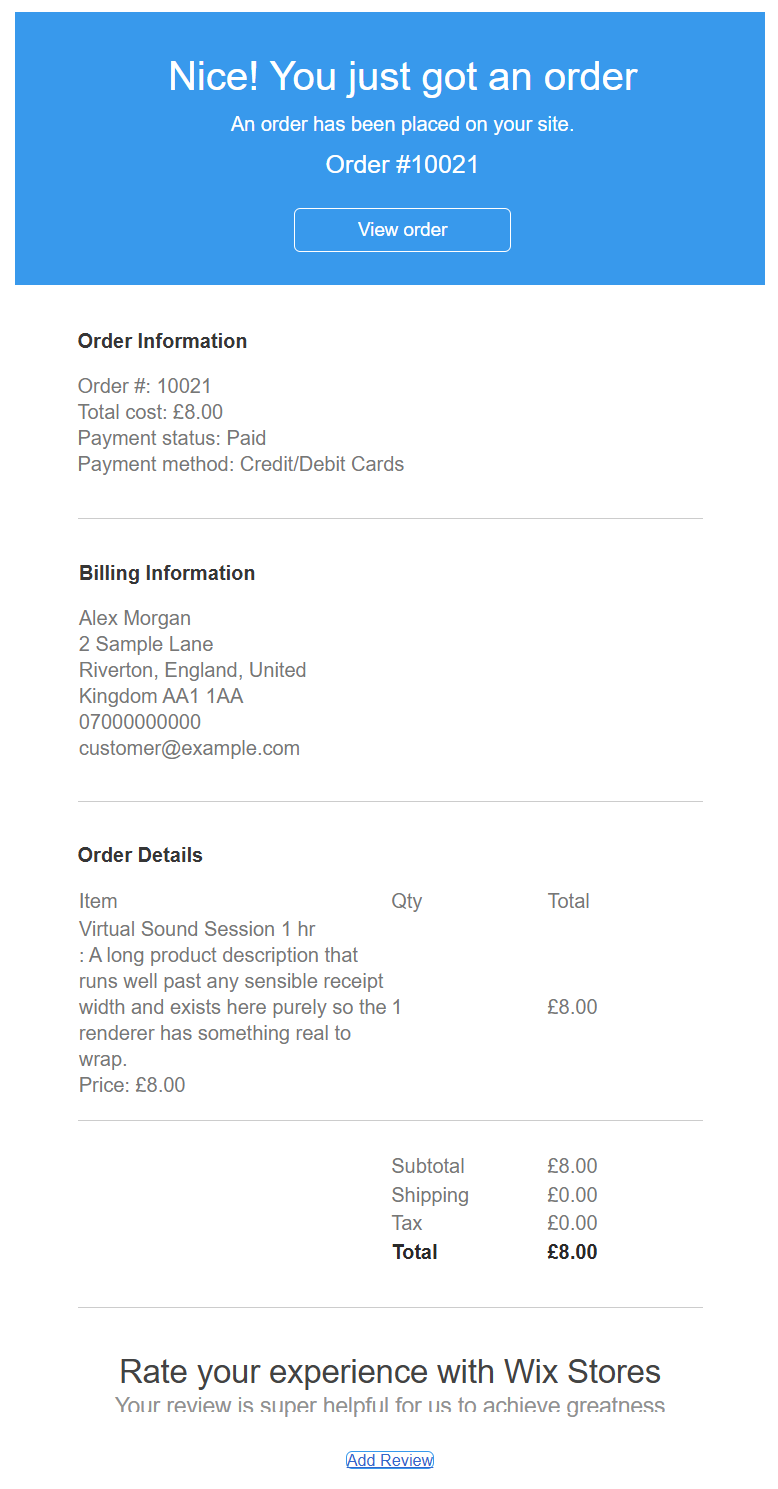
OrderPrint doesn't forward your email to a printer. It reads it, field by field, and lays it out the way a counter needs it. Below is a real Wix Stores order email, and the ticket OrderPrint actually produces from it.
The email Wix sends
The ticket OrderPrint prints
ORDER #10021
1x Virtual Sound Session 1 hr
                           £8.00
--------------------------------
Subtotal                   £8.00
Shipping                   £0.00
Tax                        £0.00
Total                      £8.00
Paid
Credit/Debit Cards
--------------------------------
Alex Morgan
07000000000
Produced by OrderPrint's own renderer from a real Wix order email — not a mock-up. Shown at 58mm width.
Read it closely and you can see the decisions
- “Paid” prints in bold, before the payment method. Wix is the only one of the three platforms we read that sends a payment status — and it is the line that decides whether somebody collects money at the door, so it goes first.
- There is no DELIVERY line, and that is deliberate. This order has no shipping address, so it is a collection. The presence of the address is the signal, never a method name a shop can rename.
- The pound sign survives. Currency symbols print correctly, including £ and €, rather than arriving as a bare number.
- The customer's phone is printed with their name — the number to ring when something is wrong.
- The order number is confirmed twice, from the body and from the subject line, so a mangled email still prints the right number.
Wix's emails are the tidiest we read
Wix marks up each item's name, quantity and price with stable, sensible classes — so the fields above come out reliably rather than by guesswork. If your store sells services rather than goods, as the example above does, it prints exactly the same way: no address, no delivery line, just what was bought and whether it is paid for.
Three things, once
1. Know where your order emails land
Wix already emails you every new order. All that matters is which mailbox it arrives in — that is the one the phone watches. Often you need change nothing in Wix at all. If you would rather orders went somewhere separate, change the notification address in your Wix dashboard first.
2. Sign OrderPrint in
Your email address and an app password — a password that works only for this one app and can be revoked whenever you like. Nothing is installed on your Wix site.
3. Choose your printer
Bluetooth or network, 58mm or 80mm. A test print tells you it works before service does.
That is the whole setup. No Wix app, no code, nothing added to your site — so there is nothing extra to break and nothing taking a cut of your orders.
What else it does
- Watches any mailbox — Gmail, Outlook, Yahoo, your own domain
- Prints to several printers at once — counter and back of house — on any paid plan
- Reprint any recent order with one tap
- Tells you when a ticket did not come out, so a missed order cannot go quiet
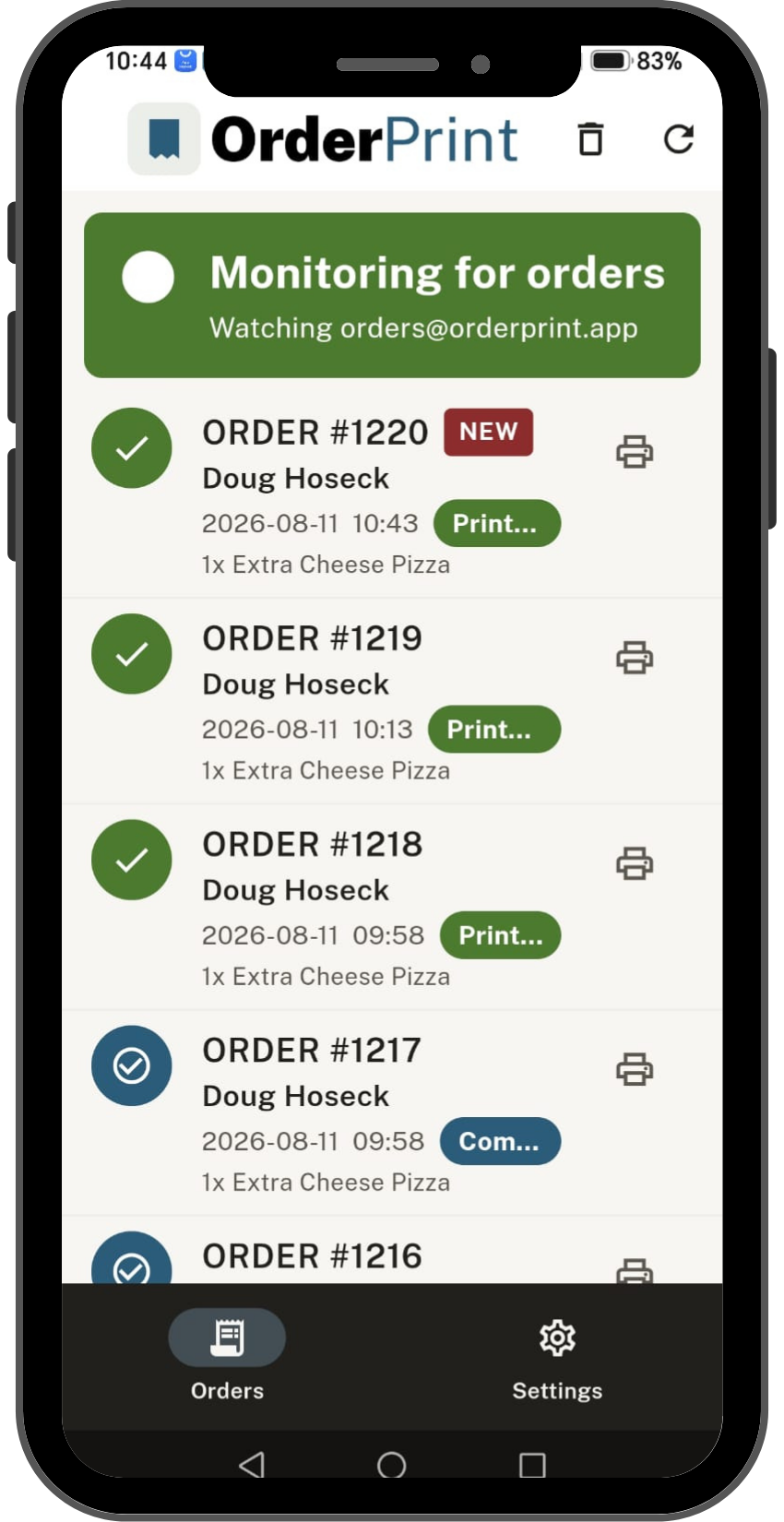
- A status card that is never green unless orders are actually printing
What you need
- An Android phone — an old one is fine. It sits by the till, plugged in
- A thermal receipt printer — Bluetooth or network, 58mm or 80mm
- The email address your Wix orders arrive at
Free to start. Paid when it's earning its keep.
Free
- 100 orders a month
- One printer
- A small OrderPrint line at the bottom of each receipt
Paid — from $7 a month
- More orders a month
- No OrderPrint line on your receipts
- As many printers as you like
Prices are set by Google Play for your country and shown in the app. Subscriptions are billed by Google Play and you can cancel any time from there.
Questions
Do I need a Wix app?
No. Nothing is installed on your site and nothing changes in your editor. OrderPrint reads the order emails Wix already sends you — so there is no app subscription, nothing to break on a Wix update, and nothing taking a cut of your orders.
Does it show whether an order is paid?
Yes, and Wix is the only one of the three platforms we read that tells us. “Paid” prints in bold, above the payment method — because that is the line deciding whether somebody collects money at the door.
I sell services, not products. Will it still work?
Yes. A service order has no shipping address, so it prints as a collection: what was bought, what it cost, and whether it is paid for. The example on this page is exactly that.
Do I have to change anything in Wix?
Usually nothing at all. Wix already emails you every new order — OrderPrint just needs to watch whichever mailbox those emails arrive in. Point the app at that address and you are done. If you would prefer orders went to a separate mailbox, change the notification address in your Wix dashboard first, then point the app there instead.
Does it handle pounds and euros?
Yes. Currency symbols print correctly, including £ and €, rather than arriving as a bare number.
Do I need to leave a computer running?
No. The phone does everything. It needs internet — the same Wi-Fi your printer is on is fine.
Put the phone by the till and stop watching your inbox
Free for your first 100 orders a month. No account, no card, no computer.
Not on Wix? WooCommerce order printing · Shopify order printing
Not sure your printer will work? Check before you buy.
OrderPrint is an independent app and is not affiliated with, endorsed by, or connected to Google, Wix, WooCommerce or Shopify.
Google Play and the Google Play logo are trademarks of Google LLC.